


 RSMUS.com
Overview:
Below is a list of steps that you can take when you need to reprint checks out of NetSuite. If you have printed checks by going to Transaction > Management > Print Checks and Forms then you will notice that you cannot print them again. However, it is possible to reprint them if you follow the steps below.
Step 1:
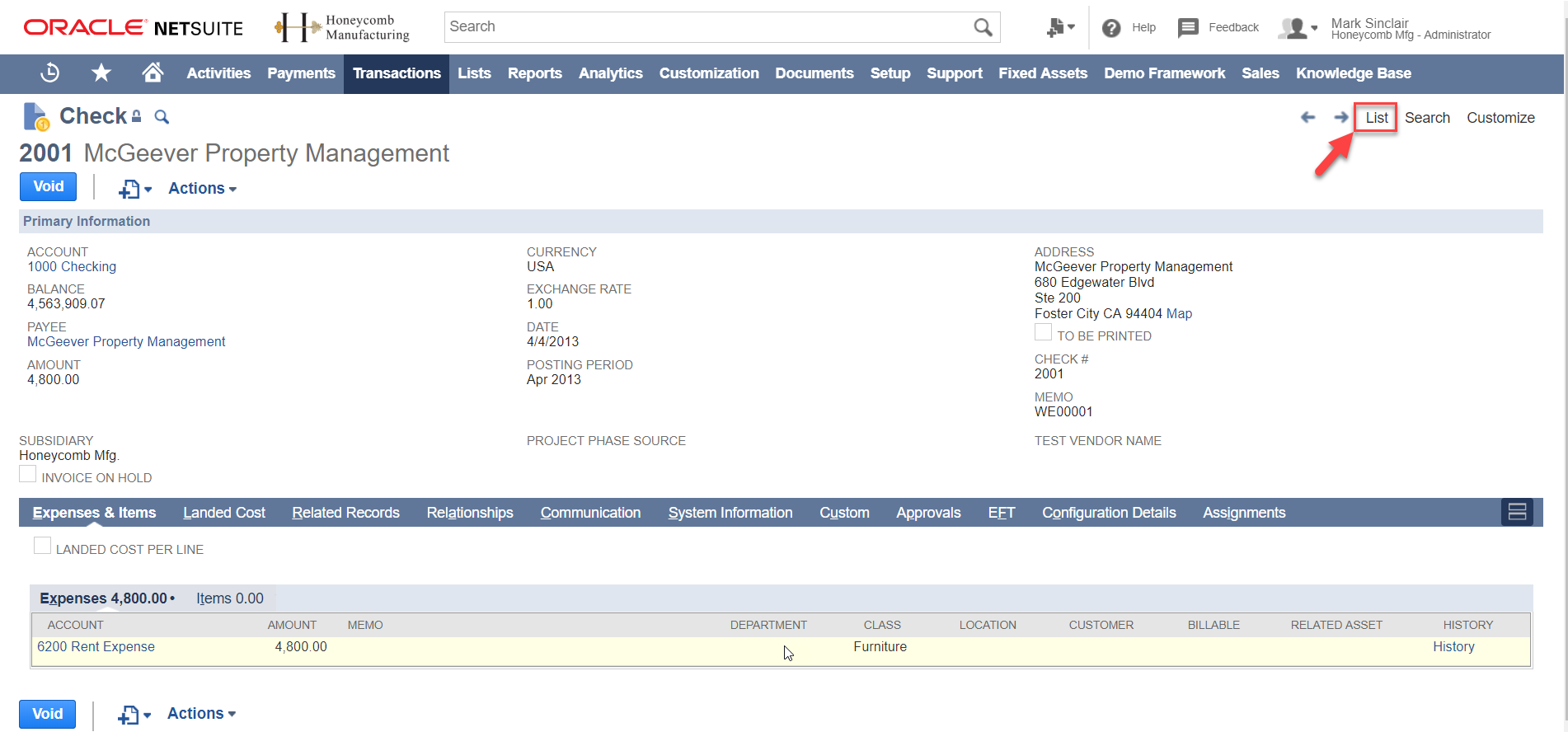
Go to the Check list. You can go to the check list by going to any check. Then in the upper right hand corner click the List option.
Step 2:
Add To Be Printed column to the list results. Click Edit View at the top of the Check List.

Step 3:
Change search title to a custom name (etc. To Be Printed Check View) and add To Be Printed under the field column on the Results tab. Click Save.

Step 4:
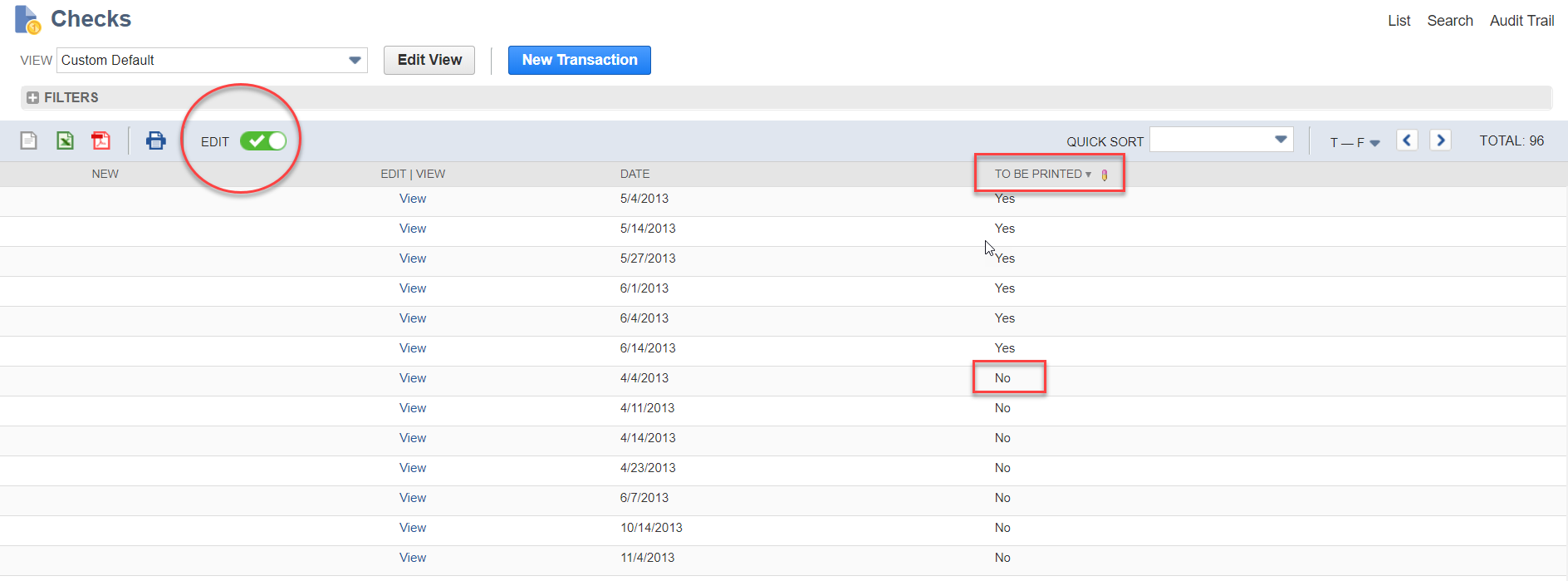
Make results editable and click the To Be Printed box. Find the checks that need to be reprinted by filtering the results. Then click the Edit button (circled in red) at the top of the results. Under the To Be Printed column (squared in red) change the No to a Yes.
Step 5:
Reprint the checks that need to be reprinted by going to Transaction à Management à Print Checks and Forms. Then click on Checks and you should see the checks that you selected to reprint.

RSM Staff
RSM empowers middle market companies worldwide to take charge of change. Our unique middle market perspective makes RSM the natural choice for growth-oriented, internationally active organizations seeking relevant insights and tailored, innovative solutions for a complex and changing world. With a global reach spanning more than 120 countries, we instill confidence in a world of change by bringing the full power of RSM to make a lasting impact on our clients, colleagues and communities.